
CapCut
AI-powered video editor and graphic design tool for all platforms.
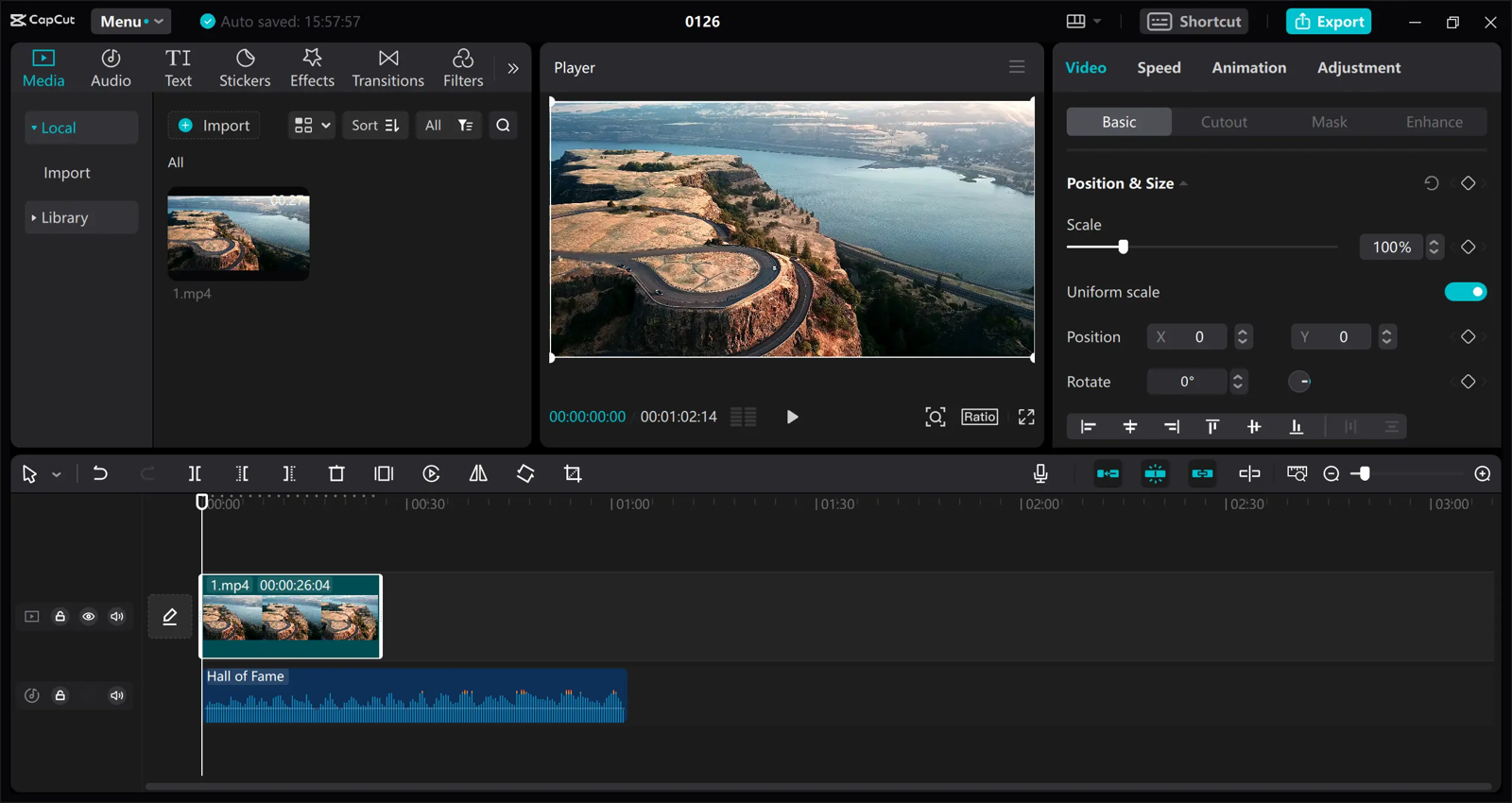
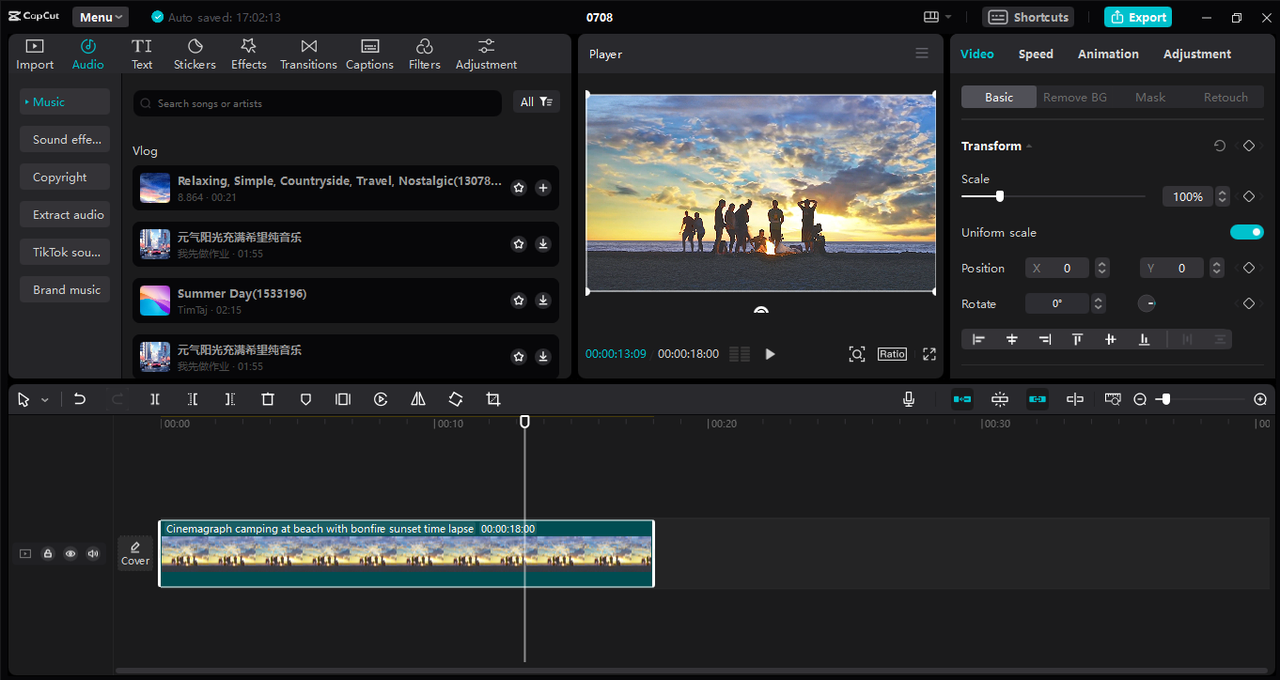
About CapCut
CapCut is a free all-in-one video editor from ByteDance, the company behind TikTok. It runs as a mobile app, a desktop app for Windows and macOS, and a web editor, so you can start a project on your phone and finish it on your computer. Built for short-form social video — TikTok, Instagram Reels, YouTube Shorts — the desktop editor is still a full multi-track timeline for longer edits. CapCut reports 700M monthly users.
Key features
- Multi-track timeline editor: trim, split, and arrange video, audio, and text tracks, with keyframes for precise control of effects and motion.
- Auto captions: speech-to-text captions in 50+ languages, with speaker detection, styling, and SRT export.
- Text-to-speech: turn a script into a natural voiceover in 40+ languages.
- AI video generation: generate short clips from text prompts with the Seedance models, or turn images into video.
- Background remover: remove a video background in one click, no green screen.
- Templates and assets: one-click templates plus 12M+ royalty-free music tracks, sound effects, stickers, fonts, and stock clips (most premium assets need Pro).
- Cloud sync: projects sync across mobile, desktop, and web; cloud storage on paid plans.
How to use it
- Download the app for your phone or computer, or open the web editor, and create a new project.
- Import your clips, or start from a template for a fast first draft.
- Arrange clips on the timeline — trim, split, reorder, add transitions.
- Add Auto Captions, music from the library, text overlays, and effects.
- Use AI tools where they help — background removal, text-to-speech, or AI-generated clips.
- Export in up to 4K at 60 fps (Pro) and share directly to TikTok, Instagram, or YouTube.
Pricing
CapCut is free to download and edit with. Videos made from your own clips and free assets export without a watermark. Pro costs $19.99 per month, or $179.99 per year (about $15 per month), adding watermark-free 4K/60fps export, premium templates and assets, 1 TB of cloud storage, and 1,200 AI credits a month. Ultra costs $79 per month for heavy AI video generation, and Teams starts at $12.49 per seat per month. Prices vary by country and platform, and a 7-day Pro trial is available. Check the pricing page before subscribing.
Strengths
- A genuinely useful free tier: most everyday editing is free, with no watermark on free-asset projects.
- Available everywhere: phone, desktop, and browser, with the same account across devices.
- AI features are practical — auto captions alone save hours on short-form video.
- Huge template and music library makes it fast to produce on-trend content.
Limitations
- 4K export, high frame rates, and premium assets sit behind Pro, and AI tools consume a monthly credit allowance.
- Project storage is local unless you pay for cloud space.
- CapCut is banned in India and faces scrutiny in some countries; ByteDance ownership raises data-privacy questions for some enterprise users.
FAQ
Frequently asked questions
What is CapCut?
CapCut is a AI tool listed on aifly.tools that adds new capabilities to your AI coding agent. See the description and screenshots above for what it does.
How do I install CapCut?
Click the Visit button below to open the official website and sign up there.
Is CapCut free?
Yes — CapCut is free to install. Some skills may still need an API key for the underlying service they call.
How do I update CapCut?
Open the official website with the Visit button below and check for the latest version there.


