FileFaker
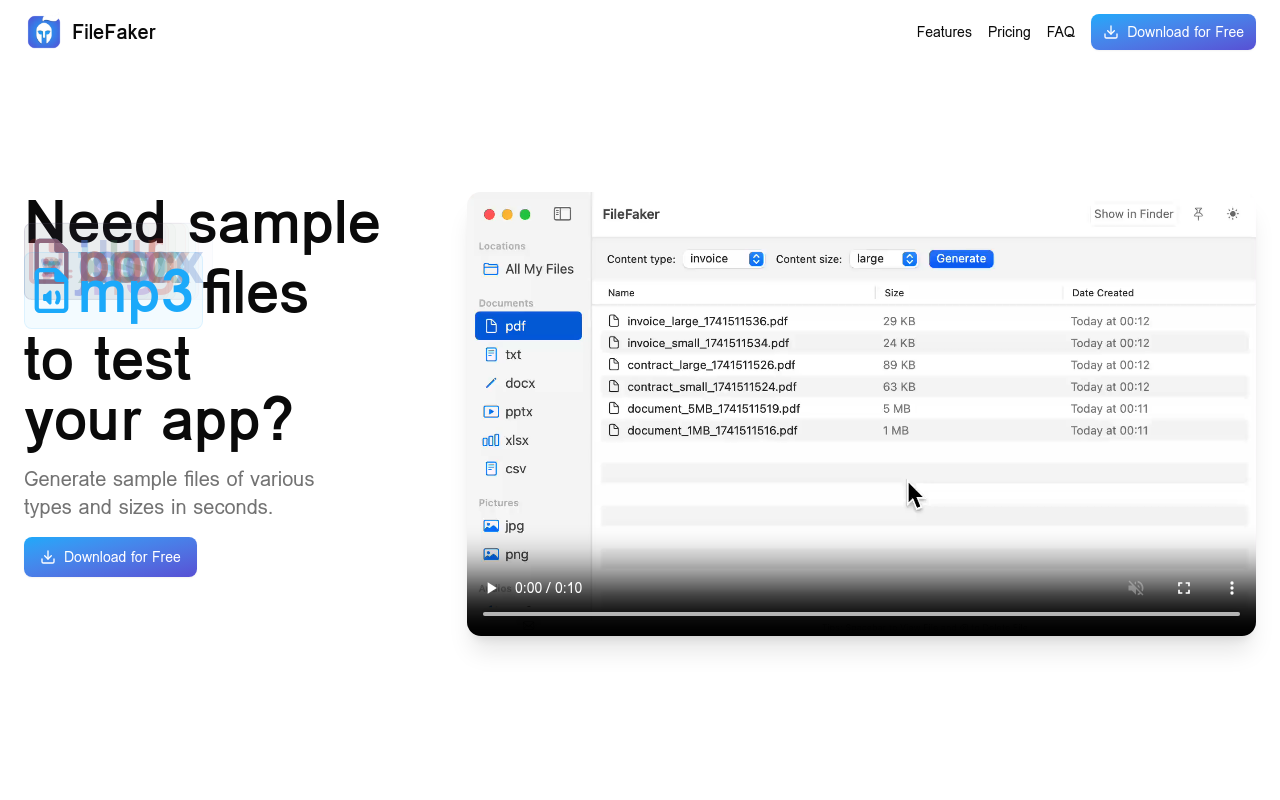
FileFaker is a simple and powerful tool that generates realistic fake files to test and troubleshoot your software or applications, saving you time and effort in the process.
FileFaker
Overview
FileFaker is a revolutionary new tool designed to simplify the process of generating fake files for testing, development, and demonstration purposes. With FileFaker, you can quickly and easily create realistic-looking files in a variety of formats, including images, documents, audio files, and more.
Key Features and Benefits
Easy File Generation
Create realistic-looking files in a matter of seconds using FileFaker's intuitive interface.
Customizable Options
Tailor your fake files to your specific needs with our range of customization options, including file size, format, and content.
Realistic File Names
FileFaker generates realistic file names that are indistinguishable from real files, making it easy to integrate into your testing and development workflow.
Secure and Reliable
All fake files are generated on the client-side, ensuring that your data remains secure and private.
Use Cases and Applications
Testing and Development
Use FileFaker to quickly generate fake files for testing and development purposes, reducing the need for manual file creation and saving you time and effort.
Demonstration and Presentation
Create realistic-looking files for demonstration and presentation purposes, allowing you to showcase your product or service in a more
FAQ
Frequently asked questions
What is FileFaker?
FileFaker is a AI tool listed on aifly.tools that adds new capabilities to your AI coding agent. See the description and screenshots above for what it does.
How do I install FileFaker?
Click the Visit button below to open the official website and sign up there.
Is FileFaker free?
Yes — FileFaker is free to install. Some skills may still need an API key for the underlying service they call.
How do I update FileFaker?
Open the official website with the Visit button below and check for the latest version there.