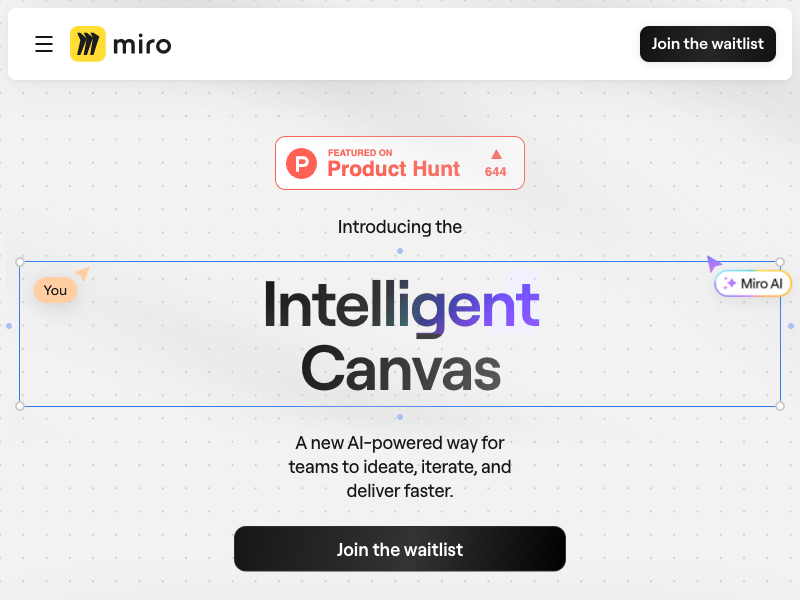
Intelligent Canvas
The Miro canvas, reinvented with AI & composable workflows
Intelligent Canvas Review: Miro's AI Canvas Where Humans and Agents Work Together
Most team tools force an awkward choice: a blank whiteboard where every idea has to be typed out by hand, or an AI chat window that produces text nobody can see, discuss, or rearrange together. The work ends up scattered across documents, chats, and diagrams, and the moment a plan changes, someone has to rebuild it all by hand.
Intelligent Canvas is Miro's answer to that split. It is the AI-powered canvas at the heart of Miro's innovation workspace, where a prompt, a document, a dataset, or anything already on the board turns into diagrams, tables, timelines, kanbans, docs, and slides right on a shared infinite canvas. AI agents work on the board alongside people, and everything they create stays fully editable by the team.
What is Intelligent Canvas?
Intelligent Canvas is Miro's AI canvas for teams: an infinite visual workspace that combines brainstorming, planning, and delivery in one place. Unlike a rigid document or a slide deck, the canvas grows with the team's ideas, from the first sketch to the final shipped plan. It automatically organizes and aligns objects as you create, so boards stay clean without manual busywork.
The canvas is built on three ideas: an upgraded canvas that is more inclusive and intuitive, composable workflows that carry work from discovery to delivery, and AI deeply embedded in the teamwork itself. Miro says more than 100 million users and 250,000 companies use its innovation workspace, and the Intelligent Canvas is the shared surface where that work happens.
Key Features
1. Create Anything From Anything
Start with an idea, a prompt, a document, a dataset, or what is already on the board. Miro's visualization engine creates the result right on the canvas, in the format that fits: a diagram, a table, a timeline, a kanban board, a document, or slides. You can prototype an end-to-end flow with key screens, interactions, decisions, and edge cases without leaving the board.
2. AI Sidekicks That Work Like Colleagues
Sidekicks are configurable AI agents that live on the canvas and specialize in defined tasks such as product discovery, competitive analysis, journey mapping, or technical architecture. They read the board, think, plan, and build alongside the team, and they appear on the canvas like real colleagues rather than a hidden chat panel.
3. Flows Automate Whole Processes
Flows chain multiple AI actions into a workflow the team can run again and again. Connect AI building blocks on the canvas to turn messy brainstorm notes into an organized action plan, generate a project brief from scattered notes, or transform customer feedback into categorized insights in seconds, without reformatting between tools.
4. Any Agent Works on the Canvas
The canvas is built on open formats such as HTML, Mermaid, and Markdown, so an agent can read what is on the canvas and change it the same way a teammate would. Teams can tag Miro and external agents such as Glean, Copilot, and Gemini in comments to take action, or ask from a chat window in Claude, Copilot, or ChatGPT through MCP and watch the result appear on the board.
5. Multiplayer Features and Smart Formats
Intelligent widgets such as polls, dot voting, story points, and timelines make feedback and decisions fast and visible. Talktrack turns video into a collaborative experience, Catch-up gives AI-powered summaries of board changes, and formats such as Miro Docs, Diagrams, Tables, Timelines, Kanban, Slides, and Prototypes carry work from brainstorm to concrete plan. Spaces gathers every board of a project into one central hub.
How It Works
Open a board and start with whatever you have: a prompt, a document, or existing sticky notes. Select content on the board and ask Miro AI to generate or synthesize it into diagrams, images, stickies, or documents, or let a Sidekick draft the first version. Use AI clustering to group sticky notes by theme or sentiment, and conversation summaries to catch up on long comment threads. Then the team edits everything directly on the canvas, moves it, rewrites it, and iterates together instead of recreating it from scratch. When it is time to share, turn the canvas into slides for stakeholders.
Who Should Use Intelligent Canvas?
- Product teams running discovery, roadmapping, journey mapping, and PRD drafting in one shared space.
- Design and UX teams prototyping flows and gathering feedback on the same board where the work lives.
- Agile teams planning sprints, running retrospectives, and estimating with story points and polls.
- Cross-functional groups that need workshops, decision logs, and plans everyone can see and discuss.
- Remote and hybrid teams that need a persistent visual workspace instead of another meeting.
Intelligent Canvas Pricing
Intelligent Canvas is part of Miro, so it follows Miro's published pricing. The Free plan costs nothing and includes three editable boards, which is enough to try the canvas with a small team. The Starter plan starts at 8 US dollars per user per month when billed annually, and the Business plan starts at 16 US dollars per user per month with more AI credits, single sign-on, and two-way Jira and Azure DevOps sync. Enterprise pricing is custom. AI features are governed by admin controls, so customers choose which AI features are on and what data they can reach. Prices can change, so check Miro's pricing page before deciding.
Intelligent Canvas Pros and Cons
Pros
- One shared canvas carries work from brainstorm to delivered plan, with no copy-paste between tools.
- AI output lands as editable board objects, not locked text in a chat window.
- Sidekicks and Flows automate repetitive synthesis and drafting work.
- Open formats and MCP support let external agents such as Claude, Copilot, and ChatGPT build on the board.
- Strong multiplayer features: polls, voting, Talktrack video, and AI catch-up summaries.
Cons
- The Free plan is limited to three editable boards, so larger teams need a paid plan quickly.
- AI features depend on the plan, and Business is needed for the full AI credit allowance.
- A canvas full of AI-generated content still needs human review and curation to stay trustworthy.
- Teams used to linear documents may need time to learn visual, canvas-first collaboration.
Final Verdict
Intelligent Canvas is the most convincing version of Miro yet: the canvas stops being a place where ideas go to be drawn and becomes the place where ideas get built, with AI agents working next to people instead of in a separate window. For product, design, and agile teams that already think visually, it removes the busywork between a messy brainstorm and a polished plan. The free plan is a fair way to test it, and the paid plans make sense once the whole team lives on the board. If your team plans in documents and chats today, Intelligent Canvas is worth a serious trial.
FAQ
Frequently asked questions
What is Intelligent Canvas?
Intelligent Canvas is a AI tool listed on aifly.tools that adds new capabilities to your AI coding agent. See the description and screenshots above for what it does.
How do I install Intelligent Canvas?
Click the Visit button below to open the official website and sign up there.
Is Intelligent Canvas free?
Yes — Intelligent Canvas is free to install. Some skills may still need an API key for the underlying service they call.
How do I update Intelligent Canvas?
Open the official website with the Visit button below and check for the latest version there.