SavedTabs
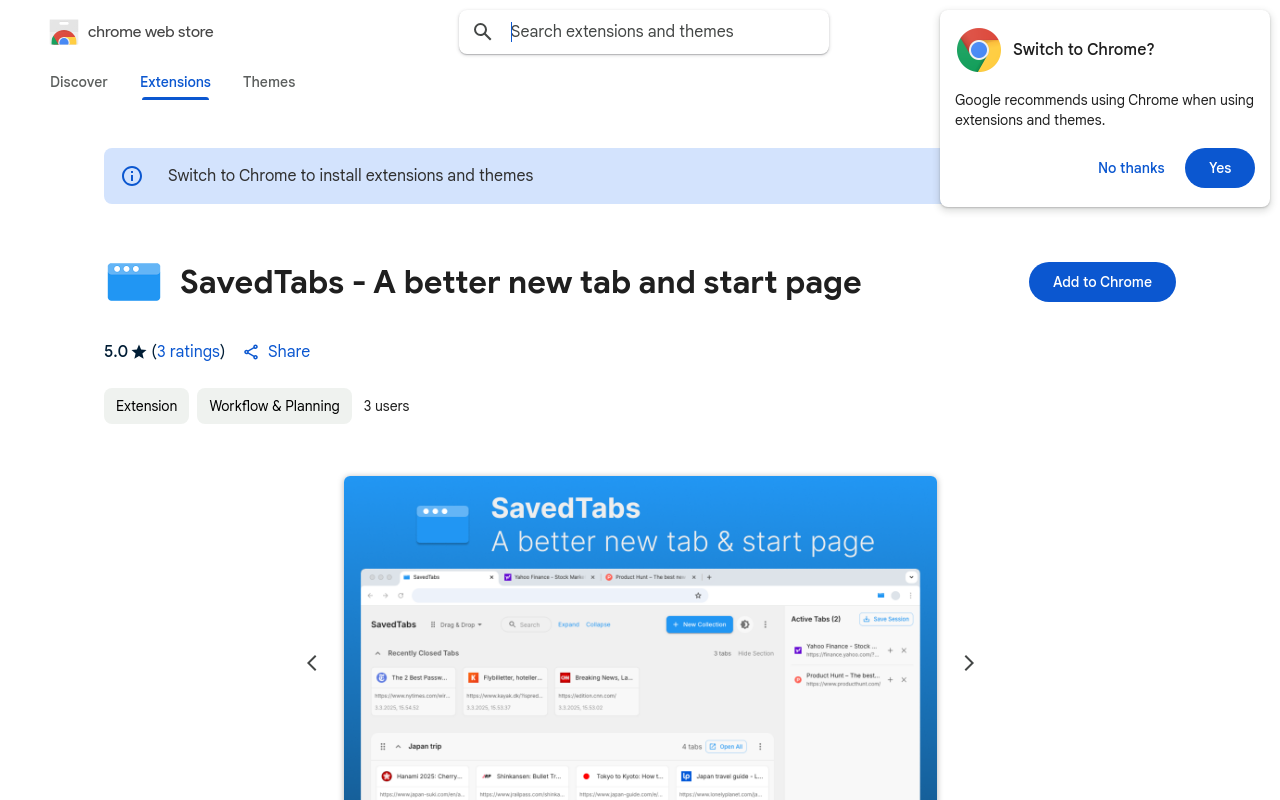
SavedTabs is a browser extension that helps you save and organize your tabs for later, allowing you to easily revisit your favorite websites and remember what you were doing. With SavedTabs, you can categorize your tabs, set reminders, and even share them with others. Say goodbye to tab anxiety and hello to a more organized browsing experience!
SavedTabs
Product Overview
SavedTabs is a innovative browser extension that allows you to save and organize your tabs across multiple devices and browsers. With SavedTabs, you can access your favorite websites and resources anywhere, anytime, without having to worry about losing your browsing history or re-opening multiple tabs.
Key Features and Benefits
Save and Sync
- Save your tabs across multiple devices and browsers
- Access your saved tabs on any device, even offline
- No more losing your browsing history or re-opening multiple tabs
Organize and Filter
- Organize your saved tabs into folders and categories
- Filter your tabs by title, URL, or date
- Quickly find the tab you need with our advanced search function
Access and Share
- Access your saved tabs from anywhere, at any time
- Share your saved tabs with others, or keep them private
- Collaborate with others on a project by sharing your tabs
Use Cases and Applications
Personal Use
- Save your favorite websites and resources for easy access
- Organize your tabs by project or category for better organization
- Access your saved tabs from any device, even offline
Professional Use
FAQ
Frequently asked questions
What is SavedTabs?
SavedTabs is a AI tool listed on aifly.tools that adds new capabilities to your AI coding agent. See the description and screenshots above for what it does.
How do I install SavedTabs?
Click the Visit button below to open the official website and sign up there.
Is SavedTabs free?
Yes — SavedTabs is free to install. Some skills may still need an API key for the underlying service they call.
How do I update SavedTabs?
Open the official website with the Visit button below and check for the latest version there.