
Stable Diffusion
Unleash your creativity with Stable Diffusion - the latent text-to-image diffusion model that empowers you to produce photo-realistic images from any text input, in seconds.
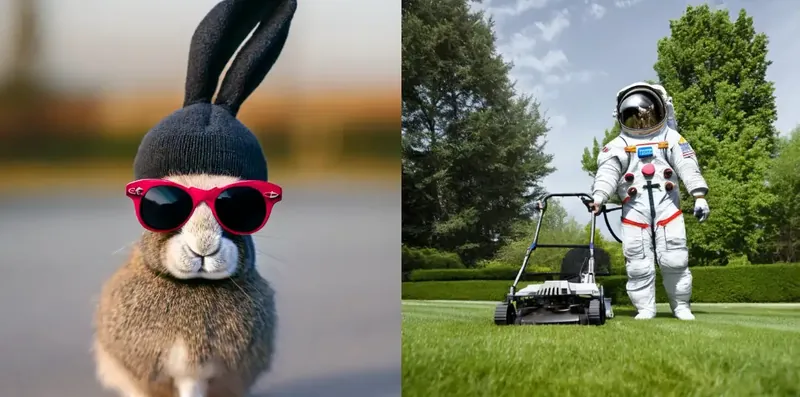
About Stable Diffusion
Stable Diffusion is a family of open-weight text-to-image models from Stability AI. It turns text prompts into images, and unlike closed services it can be downloaded and run on your own computer, with no per-image fee and no need to send prompts to a cloud service. It started the open image wave and still has the largest community ecosystem. Three generations exist: SD 1.5 (2022), SDXL 1.0 (July 2023, native 1024 by 1024), and Stable Diffusion 3.5 (October 2024, Large, Large Turbo, and Medium). Most people run them through ComfyUI or AUTOMATIC1111 WebUI.
Key features
- Text-to-image generation: write a prompt and get images in any style, from photorealistic portraits to anime, product shots, and architectural renders.
- Image-to-image and inpainting: transform an existing picture, erase and regenerate part of it, or extend the canvas.
- ControlNet: guide generation with a pose, depth map, edge drawing, or sketch, so the output follows a layout you choose instead of pure chance.
- LoRA fine-tuning: train a small adapter on a handful of images to reproduce a specific style, character, product, or face consistently.
- Full local control: run offline on your own GPU, keep prompts and images private, and generate as many images as you like with no usage meter.
How to use it
- Pick a model for your hardware. SDXL works well on consumer GPUs with 8 GB of VRAM. SD 3.5 Medium needs around 10 GB, and SD 3.5 Large needs more.
- Install a free interface such as ComfyUI or AUTOMATIC1111 WebUI, then download a checkpoint from Hugging Face and place it in the models folder.
- Write a prompt describing the subject, style, lighting, and mood, plus a negative prompt listing what to avoid.
- Generate a batch, pick the best result, and refine it with a new seed, a different sampler, or more steps.
Pricing and licensing
The models are free to download and run locally, so there is no per-image cost once set up. Licensing depends on the version: SD 1.5 is under the CreativeML OpenRAIL-M license, SDXL under OpenRAIL++-M, and SD 3.5 under the Stability AI Community License, free for research and commercial use below 1 million dollars in annual revenue, with an enterprise agreement above that.
Strengths
- Free and unlimited once set up: no subscription, no per-image fee, no daily cap.
- Total privacy and control: everything runs on your machine, with any checkpoint, LoRA, or extension.
- The deepest ecosystem in open image generation, with years of tutorials, extensions, and community models.
Limitations
- Setup takes real effort and is not beginner-friendly.
- You need a decent GPU: integrated graphics will be slow or unusable, and the largest models need 12 GB of VRAM or more.
- Quality depends heavily on the checkpoint and prompt, and out of the box it is less polished than the best closed generators.
- License terms differ by version, so commercial users must read the license for the exact model they use.
FAQ
Frequently asked questions
What is Stable Diffusion?
Stable Diffusion is a AI tool listed on aifly.tools that adds new capabilities to your AI coding agent. See the description and screenshots above for what it does.
How do I install Stable Diffusion?
Click the Visit button below to open the official website and sign up there.
Is Stable Diffusion free?
Yes — Stable Diffusion is free to install. Some skills may still need an API key for the underlying service they call.
How do I update Stable Diffusion?
Open the official website with the Visit button below and check for the latest version there.


