Subly AI Video Accessibility Checker
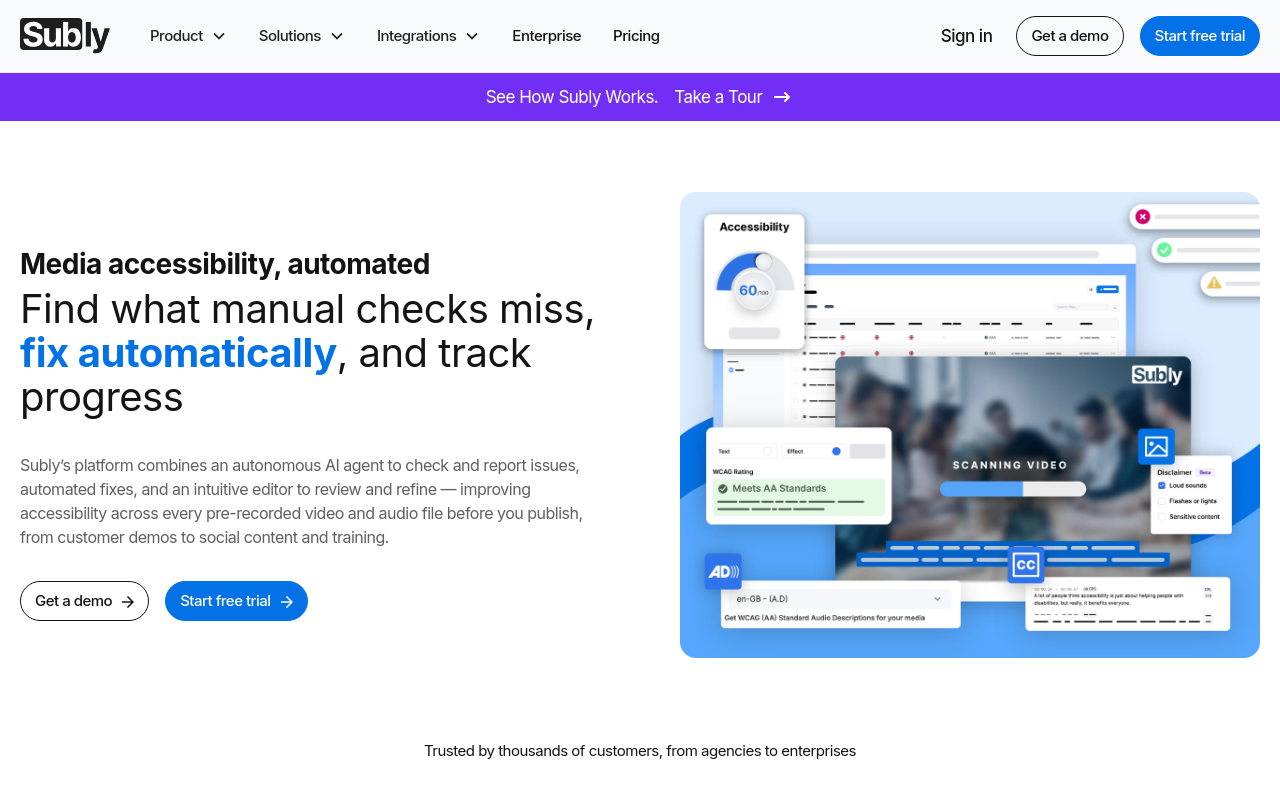
Subly AI Video Accessibility Checker is an innovative tool that uses artificial intelligence to analyze videos and identify accessibility issues, ensuring that your content is inclusive and reaches a broader audience.
Subly AI Video Accessibility Checker
Overview
Subly AI Video Accessibility Checker is a revolutionary tool that empowers creators to make their videos more accessible and inclusive for everyone. By leveraging AI-powered technology, Subly detects and corrects accessibility issues, ensuring that your videos meet the latest standards and regulations.
Key Features and Benefits
Automated Accessibility Analysis
Subly's AI engine analyzes your video content, detecting potential accessibility issues such as:
- Closed captions and subtitles
- Audio descriptions
- Image descriptions
- Color contrast and readability
- Audio volume and silence
Real-time Feedback and Correction
Subly provides instant feedback on detected accessibility issues, offering suggestions for improvement and correction. This ensures that your video content meets the latest accessibility standards, such as WCAG 2.1 and ADA.
Customizable Settings
Tailor Subly's accessibility analysis to your specific needs by adjusting settings for:
- Audio and video file formats
- Captioning and subtitling languages
- Image recognition and description
Integrations and Compatibility
Subly seamlessly integrates with popular video editing software, including Adobe Premiere Pro, Final Cut Pro, and DaVinci Resolve. It also supports various file formats, including MP4, AV
FAQ
Frequently asked questions
What is Subly AI Video Accessibility Checker?
Subly AI Video Accessibility Checker is a AI tool listed on aifly.tools that adds new capabilities to your AI coding agent. See the description and screenshots above for what it does.
How do I install Subly AI Video Accessibility Checker?
Click the Visit button below to open the official website and sign up there.
Is Subly AI Video Accessibility Checker free?
Yes — Subly AI Video Accessibility Checker is free to install. Some skills may still need an API key for the underlying service they call.
How do I update Subly AI Video Accessibility Checker?
Open the official website with the Visit button below and check for the latest version there.