
Synthesia
With Synthesia, businesses can create professional-looking videos at scale — for corporate learning and communications, personalized sales and customer success videos, e-commerce product videos, e-learning, and more.
About Synthesia
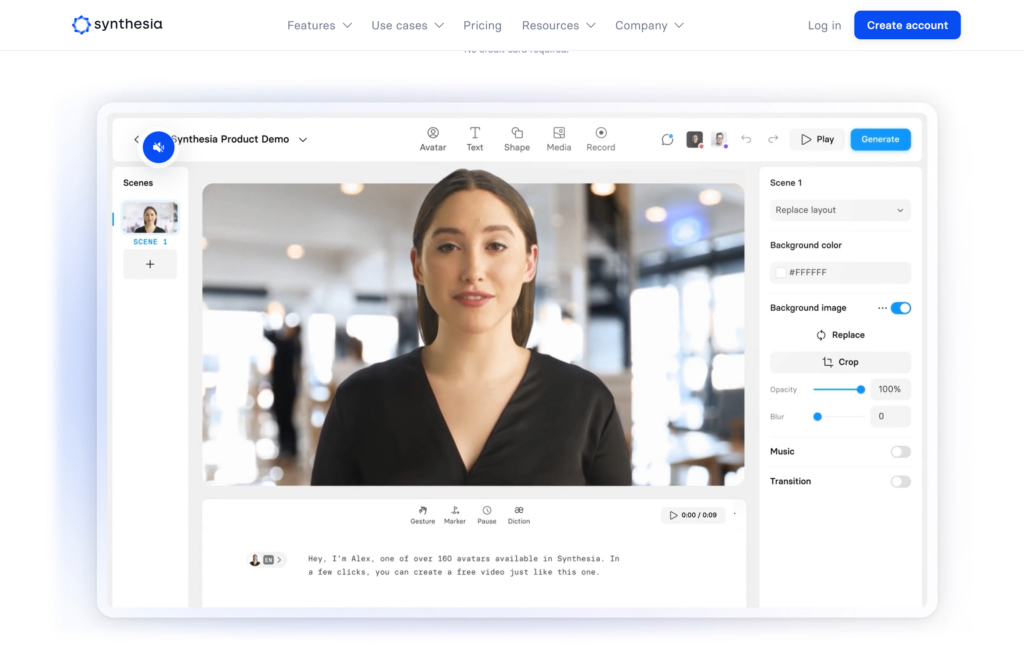
Synthesia is an AI video platform that turns text into presenter-led videos. You type a script, choose an AI avatar, and get a finished video — no camera, microphone, or editing skills needed. Founded in London in 2017, it is used by more than 65,000 companies, including over 90% of the Fortune 100, mainly for training, onboarding, internal communications, and product explainers. The platform now counts over 2 million users.
Key features
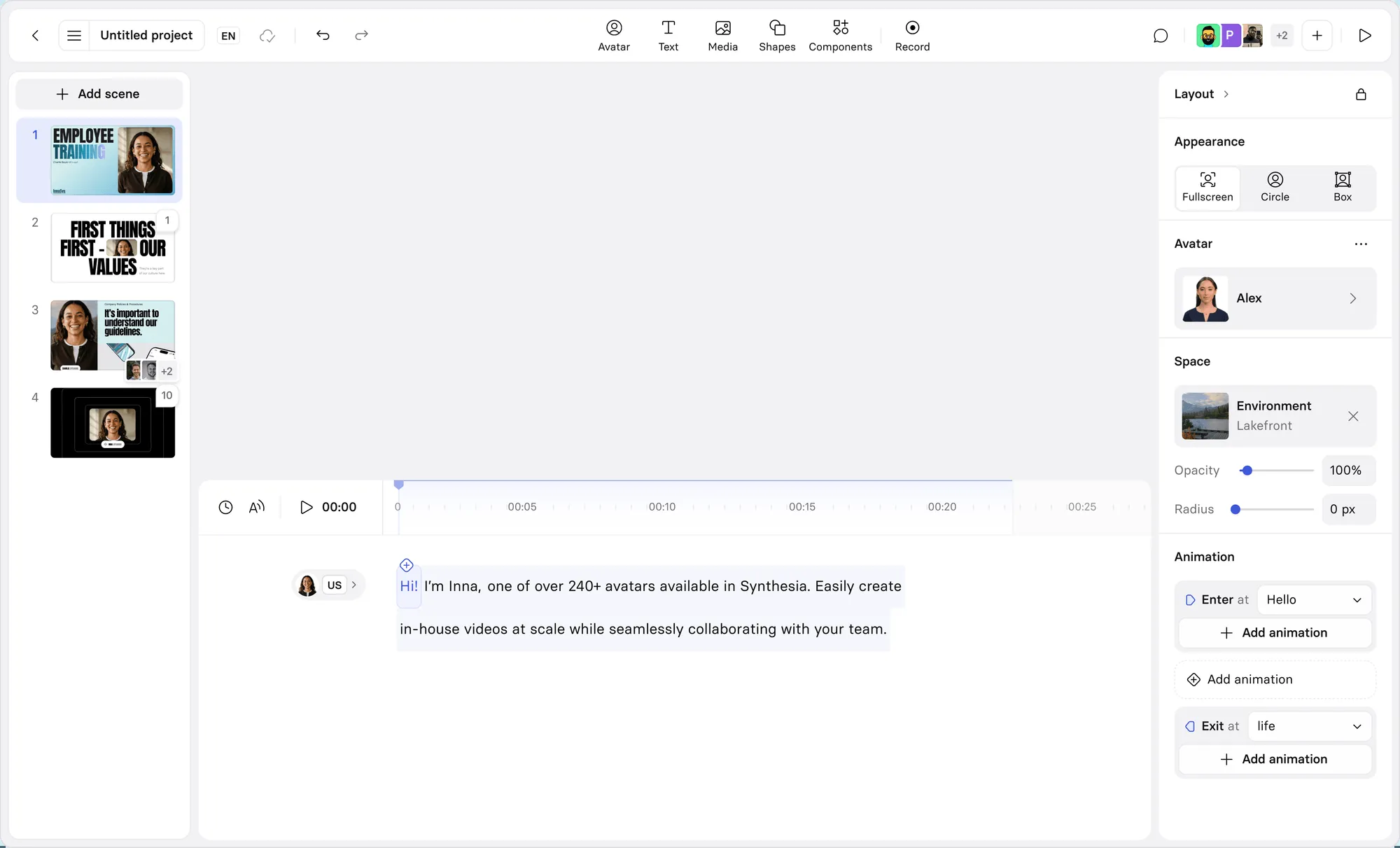
- AI avatars: 240+ diverse stock avatars, plus personal avatars created from a short recording of yourself, and studio-quality avatars as an add-on.
- 140+ languages: scripts in over 140 languages with lip-sync, plus AI dubbing to translate existing videos.
- AI Video Assistant: turn documents, PowerPoints, or links into a polished, on-brand video in minutes.
- Templates: ready-made layouts for training, onboarding, compliance, and marketing videos.
- Interactive video: add calls to action, branching, and quizzes on higher plans.
- Collaboration and brand control: brand kits, roles and permissions, and approval workflows.
- Analytics, API, and SCORM: track views and completion, publish as a link or embed, export SCORM for your LMS, or generate video from code.
How to use it
- Create a free account and open a new video in the studio.
- Pick a template and an avatar, or upload your own script or document.
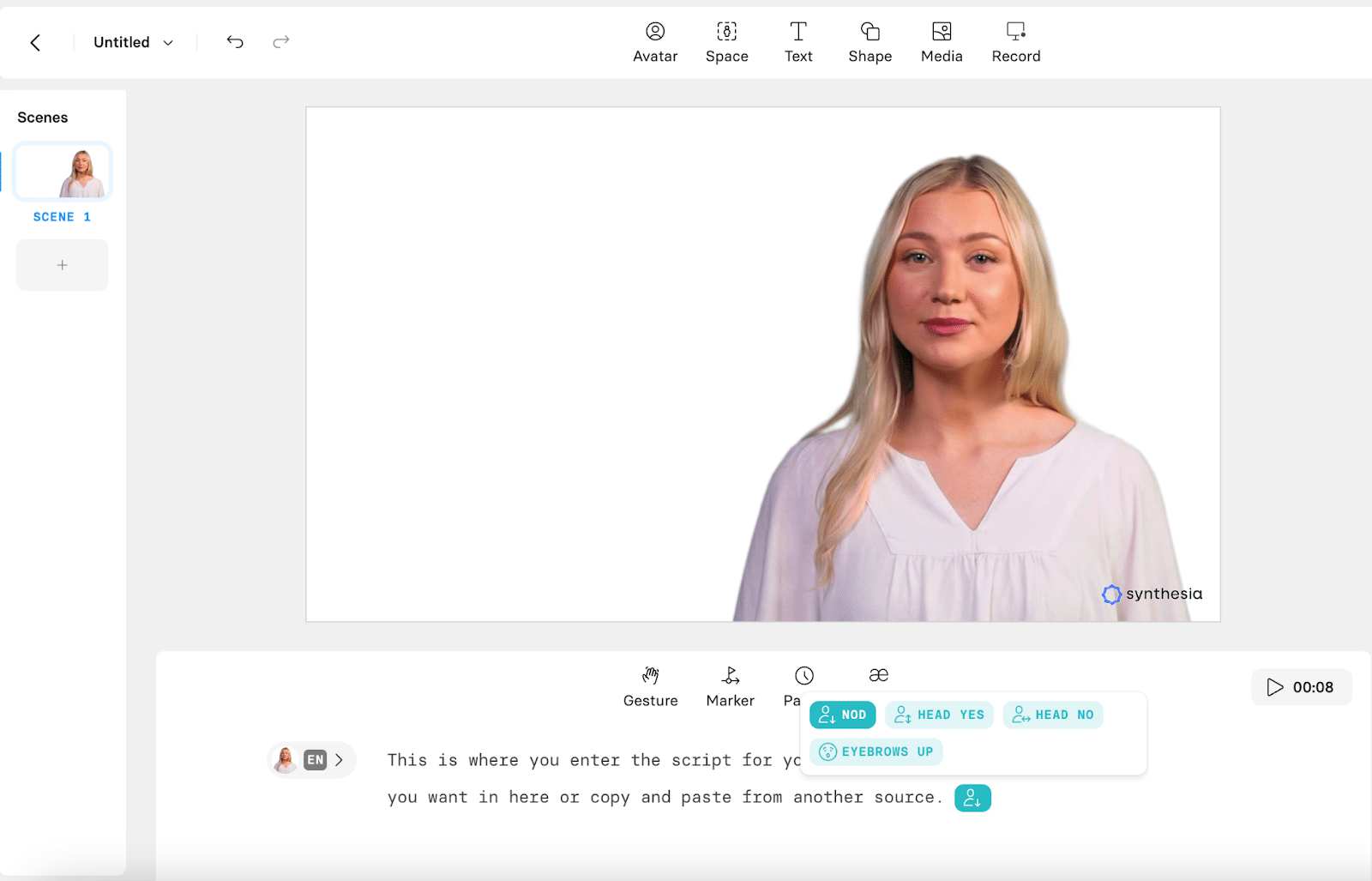
- Type or paste your script and choose the language and voice.
- Customize the layout, background, text, and branding.
- Generate a preview, adjust the wording or pacing, then generate the final video.
- Share it as a link, embed it, or export it to your LMS.
Pricing
Synthesia has four plans. Basic is free and includes 10 minutes of video a month with 9 avatars, but videos carry the Synthesia logo and cannot be downloaded. Starter costs $29 per month, or $18 per month billed annually, with 10 minutes a month, 125+ avatars, downloads, and no watermark. Creator costs $89 per month, or $64 per month billed annually, with 30 minutes a month, 180+ avatars, API access, and interactive video. Enterprise is custom-priced with unlimited minutes, 240+ avatars, SSO, SCORM export, and a dedicated success manager. Unused minutes do not roll over. Check the pricing page before subscribing.
Strengths
- The fastest way to produce professional training and internal videos at scale.
- Consistent quality and branding across every video, in every language.
- Updating a video is just editing text — no reshoots.
- Strong enterprise controls: SSO, brand kits, and LMS export.
Limitations
- Video time is metered, so costs grow with output; unused minutes do not roll over.
- AI presenters still feel less personal than a real human on camera.
- It is a presenter-video tool, not a general video editor — complex visuals need another tool.
- The free plan is a trial in practice: watermarked video and no downloads.
FAQ
Frequently asked questions
What is Synthesia?
Synthesia is a AI tool listed on aifly.tools that adds new capabilities to your AI coding agent. See the description and screenshots above for what it does.
How do I install Synthesia?
Click the Visit button below to open the official website and sign up there.
Is Synthesia free?
Yes — Synthesia is free to install. Some skills may still need an API key for the underlying service they call.
How do I update Synthesia?
Open the official website with the Visit button below and check for the latest version there.


