Zoom AI Companion
Generate email and chat replies, summarize meetings and chat threads, brainstorm whiteboard ideas, and much more!
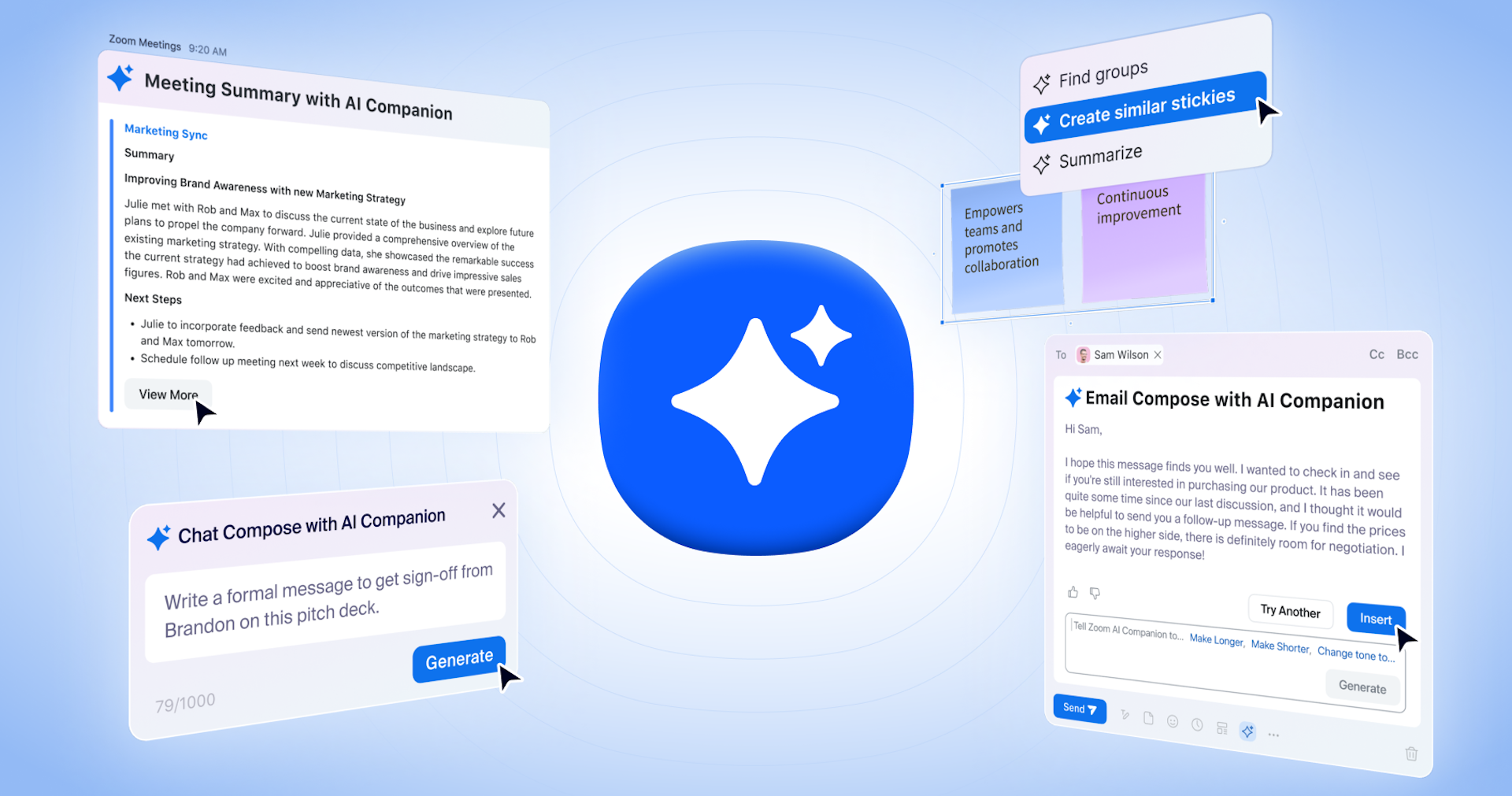
Zoom AI Companion empowers you to increase productivity, improve team effectiveness, and enhance your skills. Using Zoom’s unique federated approach to AI, you can expect high-quality results when drafting emails and chat messages, summarizing meetings and chat threads, brainstorming creatively, and much more – all in the simple, easy-to-use Zoom experience you know and love.
- Consume meeting recordings faster through highlights, smart chapters, summaries, and next steps.
- Generate a summary and meeting next steps and share via email and Team Chat.
- Ask Zoom AI Companion a question about a meeting in progress to quickly catch up and get clarity on what you missed without interrupting.
- Get feedback on your presentation skills on how you engage with meeting participants.
- Draft chat messages based on conversational context and what you want to say, and even customize the message’s tone.
- Generate a brief summary of what was discussed in a long chat thread.
- Generate ideas for your whiteboard as stickies, tables, or mind maps.
- Refine and categorize existing whiteboard content.
- Write emails faster with suggested content based on the email conversation context.
- Generate an email in Zoom Events for registration, marketing, and ticketing.
- Communicate with event attendees in Zoom Events with chat compose.
FAQ
Frequently asked questions
What is Zoom AI Companion?
Zoom AI Companion is a AI tool listed on aifly.tools that adds new capabilities to your AI coding agent. See the description and screenshots above for what it does.
How do I install Zoom AI Companion?
Click the Visit button below to open the official website and sign up there.
Is Zoom AI Companion free?
Yes — Zoom AI Companion is free to install. Some skills may still need an API key for the underlying service they call.
How do I update Zoom AI Companion?
Open the official website with the Visit button below and check for the latest version there.